Shopping Cart



BMW Emblem Badge Roundel Template Vector Interior PPF & Wrap Cutting Template
EMBLEM-BAD-BM-YEAR
€149.99
Tax included Manufacturing time 2-7 business days
Emblem vector cutting template for BMW Emblem Badge Roundel Template Vector. Check the complete specification and application before ordering.
| Make | BMW |
|---|---|
| Model | Emblem Badge Roundel Template Vector |
| Model years | Not applicable |
| Product type | Emblem vector cutting template |
| Parts included | Digital cutting files; no physical trim parts |
| File formats | CDR, SVG, DXF, EPS, AI, PLT and TXT |
| Delivery | Digital download; no physical film or trim |
| Product reference | Product ID 4402 |
BMW Emblem Badge Roundel Template Vector Interior PPF & Wrap Cutting Template
Finish: High-gloss as shipped · matte with 1 coat of clear matt spray before fitting.
Is the kit available in matte?
The kit ships high-gloss. For a satin or matte look, spray one thin coat of clear matt aerosol lacquer for cars on the parts before fitting (for example SprayMax Klarlack matt or NOVOL Clearcoat Matt), let it dry, then fit as usual. One coat takes the gloss off; a second gives a flatter but slightly hazy look. Try a small part first. We don’t ship aerosols; you’ll find them in car accessory shops.
A small round outline leaves little room for an incorrect scale. Start with the vector template, inspect the shapes and test the dimensions before cutting your chosen material.
What you receive
A downloadable cutting-template package for the application named above. No physical film, trim or badge is shipped.
Listed specifications
| Vehicle | BMW Emblem Badge Roundel Template Vector |
|---|---|
| Listed variant | All Models and Versions; Car Interior Wrap Cutting Template |
| Product type | interior PPF / wrap cutting template |
| File formats | CDR, SVG, DXF, EPS, AI, PLT and TXT |
| Template Type | Interior PPF / Wrap / Dashboard Trim Cutting Template |
Check the intended application
Confirm the included emblem shapes, dimensions and intended use before purchase. Check the specific template contents rather than relying on a general interior-template description.
Prepare the file for cutting
1. Check software compatibility
Choose a supplied format that your software can import, then inspect the outlines and dimensions.
2. Verify the size
Check the required dimensions against the actual application. Do not assume that the file opens at the intended scale.
3. Test before production
Cut an inexpensive test sample and check its outline and size before using the final material.
Need the exact template details?
Please ask about the template contents before ordering if you need a particular emblem size or application.
- Model
- YEAR
5483230044023
The kit is fitted over the existing surfaces – no dismantling of the dashboard.
- Clean and degrease every surface; silicone and interior sprays stop the adhesive from holding.
- Dry-fit each part against the parts diagram before removing the backing film.
- In a cold car, warm the parts and the dashboard slightly first.
- Press each part firmly from the centre to the edges.
- Avoid washing or stressing the edges for 24–72 hours.
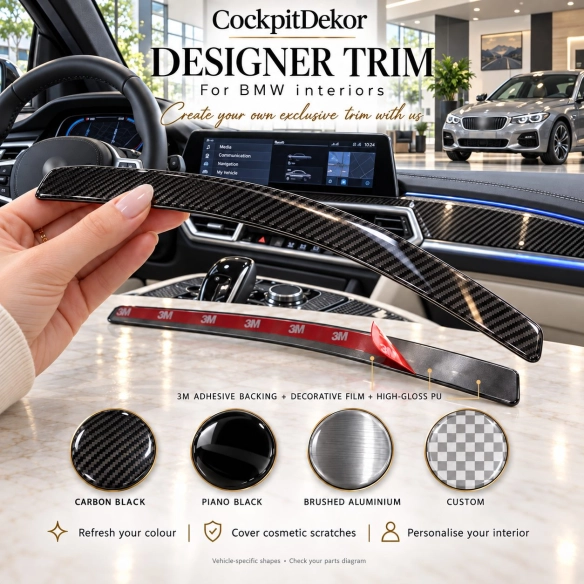
Every kit is made in your choice of finish, protected by a high-gloss 3D polyurethane layer.
- Wood (burl, walnut, maple): warm, classic, premium look.
- Carbon fibre: sporty and technical.
- Brushed aluminium: cool, modern, close to OEM.
- Piano black and solid colours: clean or personalised.
- The finish changes the look only – always check the version of your dashboard first.
A kit is made for one exact dashboard layout. Before ordering, check:
- make, model, production year and generation (before or after facelift);
- manual or automatic gearbox;
- manual or automatic climate control, radio / NAVI unit;
- the parts diagram and number of parts in the product photos;
- steering wheel position: select it in the option above the finishes.
No reviews
Tap to zoom
